Your Desktop.
Your
Weather.
WeatherWidget is a compact, elegant weather utility designed to float beautifully on your desktop. Monitor up to 5 cities at a glance with a borderless, transparent overlay that adapts seamlessly to your wallpaper workspace.




App Interactive Showcase
Explore the application interface and transparent desktop overlay in Celsius, Fahrenheit, and localized language editions (including Chinese — 1 of 12 supported languages).
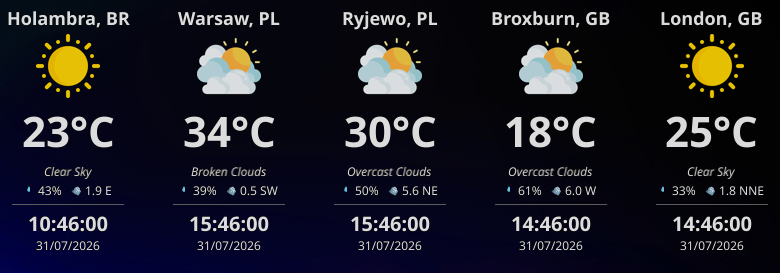
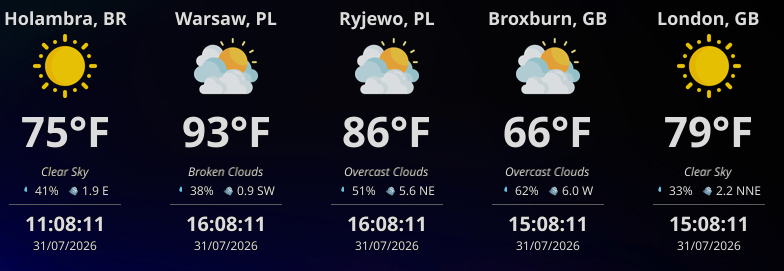
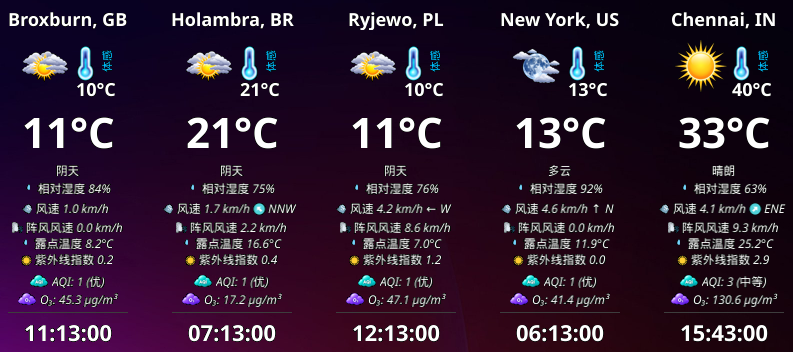
Want to see real desktop captures across Linux, macOS & Windows, or need configuration help?
Worldwide Weather Activity
Explore cities and regions actively querying live meteorological data through the WeatherWidget network.
Built with Care, Designed for Simplicity
A lightweight native core engine combined with an ultra-clean overlay dashboard interface.
Multi-City Support
Track weather updates for up to 5 cities simultaneously. Keep tabs on regional forecasts in a tidy grid.
Transparent Overlay
Sits elegantly on top of or behind window configurations. Adjustable transparency blends smoothly with any theme.
Lightweight & Native
Compiled natively in Go without Electron weight. Executes instantly under a tiny 20MB RAM signature.
Auto Refresh
Configure background refresh intervals from 1 to 60 minutes to automate forecast tracking data updates.
Customizable Data Panel
Choose exactly which data fields to show: City Name, Weather Icon, Temp, Description, Humidity, Wind, Time, Date, Wind Gust, Dew Point, Pressure & UV Index.
Privacy First
No analytics trackers, telemetry scripts, or account creation flows. Your setups belong strictly on your hardware.
Up and Running in Minutes
Three simple steps to establish dynamic weather and local time reporting on your desktop grid.
WeatherWidget
Elegant desktop utility tracking atmospheric data cleanly and efficiently.
Sleek Desktop Setup
Start tracking atmospheric forecasts without signing up or managing complex dashboard templates.
Install the App
Deploy WeatherWidget from the Microsoft Store, Snap Store, or download the release installer directly from GitHub.
Configure Locations
Add up to 5 city coordinates, configure measurement units, and select a background refresh timer.
Enjoy Borderless View
Double-click the tray icon to overlay the minimalist transparent widget flat onto your active monitor screen.
💡 Getting Started: Demo, Free or Pro
There are three ways to use WeatherWidget, depending on what you need.
Demo Mode
Instant test drive
Try the application with 3 predefined demo cities. These cities are fixed and cannot be changed in demo mode.
- Zero API key required
- 3 predefined demo cities
- Fixed cities (cannot be changed in demo mode)
Free Mode
Your own OpenWeatherMap API key
Configure your own 3 cities manually. This option is free, but doesn't include pollution and AQI information.
- Configure your own 3 cities manually
- Free personal OpenWeatherMap key
- Doesn't include pollution & AQI information
Pro
Simpler setup & complete experience
For those who want a simpler setup and the complete experience, Pro provides easier city configuration, support for up to 5 cities, and all features, including pollution and AQI.
- Support for up to 5 cities
- Easier city configuration & zero key setup
- All features, including pollution and AQI
💡 Start Your Way: You can start with the demo or free option and decide whether Pro suits your needs.
Special Lifetime Promotion
Limited time offer to acquire permanent Pro features during our early adoption campaign.
Automatic Lifetime Upgrade
The first 10 accounts subscribing to the Pro API will have their memberships converted into permanent lifetime licenses automatically.
Zero Ongoing Fees
Cancel your subscription after the conversion to enjoy permanent ad-free queries without further recurring billing actions.
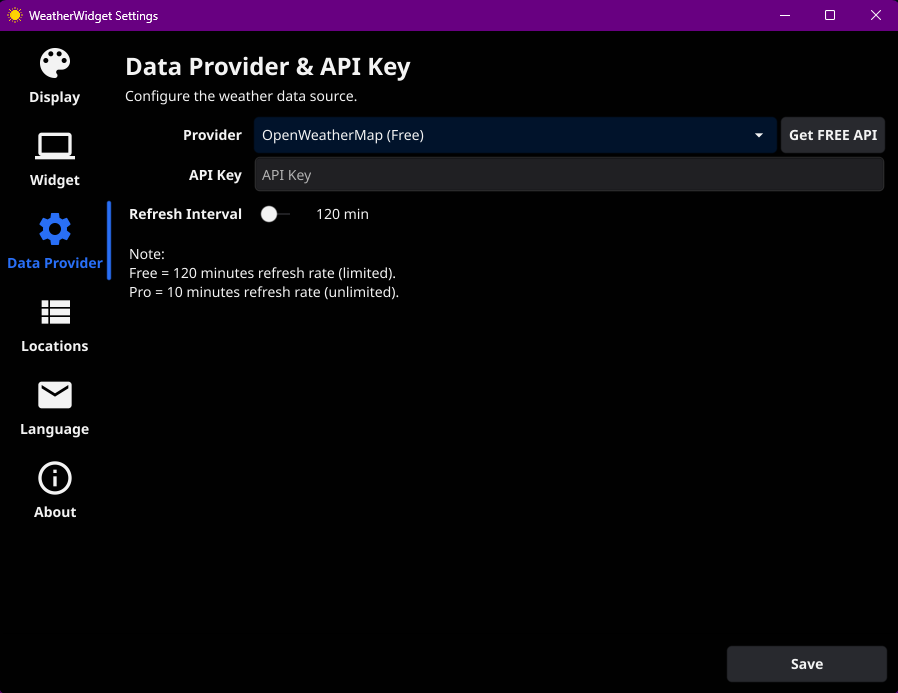
Activation Post-Installation
Locate settings after deployment under:
System Tray Icon → WeatherWidget → Settings → Data Provider.
Monitor Your Atmosphere Today
Bring elegant atmospheric tracking and forecast modules cleanly to your workspace dashboard. Get WeatherWidget today.